The Faster, Smarter Alternative To QA Wolf
- Achieve 80%+ test coverage in days not weeks.
- Zero Flaky Tests with our Self-Healing Automation
- 5–10x higher ROI compared to legacy QA tools.
Exclusive: Speak directly with our CEO! Experience a live demo without the sales pitch. ????
Discover how QASolve.ai has helped leading clients accelerate software delivery and cut QA costs — while boosting quality
Discover how QASolve.ai has helped leading clients accelerate software delivery and cut QA costs — while boosting quality











Stop Struggling With Slow, Brittle Test Automation.
See Why Teams Switch To QASolve.
QASolve reimagines QA automation with AI-driven discovery, no-code test creation, and self-healing capabilities, helping your team ship faster without worrying about flaky tests.

*This information is based on publicly available data and may be subject to change. Please verify with the provider for the latest details.
-
Fastest Test Coverage Velocity
Reach 80%+ test coverage in days not weeks, accelerating releases without bottlenecks.
-
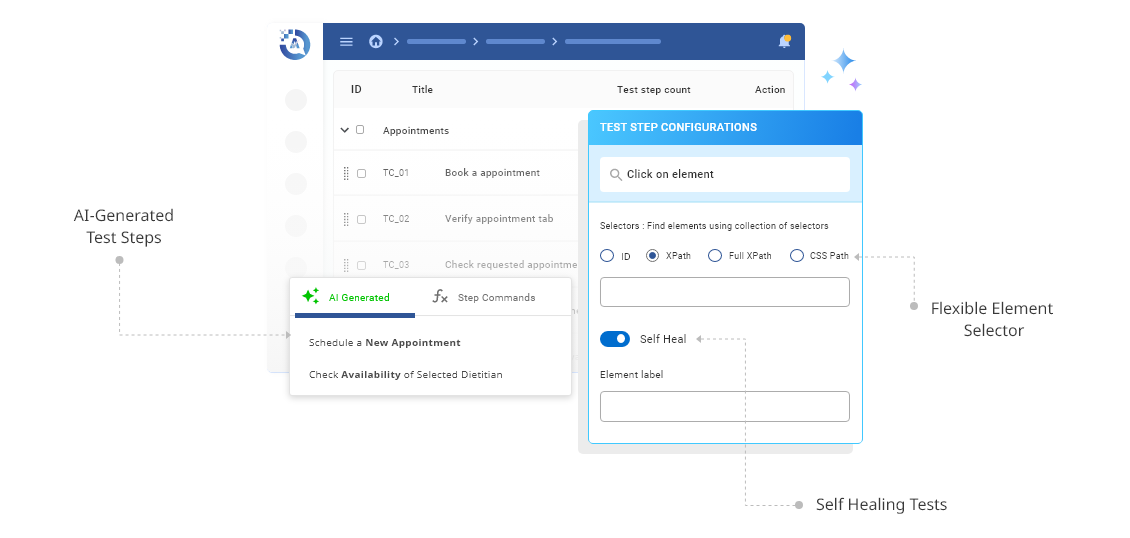
No-Code, AI-Generated Tests
Empower your teams to build and scale automation without writing a single line of code.
-
Self-Healing Test Automation
Eliminate flaky tests. QASolve automatically adapts to UI changes so your pipelines stay green.
-
Secure, Enterprise-Grade AI
Keep sensitive data safe. All LLMs run inside QASolve’s secure perimeter with no 3rd-party exposure.
-
Seamless Integrations With 1 URL
Connect instantly with your existing CI/CD pipelines, bug tracking, and collaboration tools. No custom coding required.
-
Proven ROI
Deliver 5–10x higher ROI compared to legacy QA automation, reducing costs while accelerating time-to-market.
How QASolve Works In 6 Simple Steps
- Step 1
Register
Add your app URL and roles. That’s it.
- Step 2
Discovery
AI agents auto-map every flow in real time.
- Step 3
Generate
Gen AI Model creates and maintains test cases for you.
- Step 4
Execute
Run tests live or schedule across any device/browser.
- Step 5
Analyze
Pinpoint flaky tests instantly with detailed insights.
- Step 6
Iterate
Adapt with every release — add or edit scenarios anytime.
“We are delighted to have switched from another QA service provider to QASolve. We went from 60 tests to 300 tests in just 2 weeks and now they are critical part of our weekly CI/CD pipeline.”
“QASolve AI agents have an effective way of testing based on the App, without looking at the codebase or requirement specs. This made it very easy for us to adapt the tool”
“QASolve generated 1000+ Test Cases in just a few weeks. It has become a critical tool that we leverage for every software release”
“QASolve agents rapidly validate our SaaS apps on multiple browsers and devices. This has helped in reducing QA time as well as cost”